Copytrading is a convenient investment method where the trades of professional traders are automatically copied to your account. It is an excellent option for beginners, as it allows you to earn on Forex without the need for a deep understanding of market analysis and trading strategies.
The broker InstaForex offers the ForexCopy system, which makes the process of copying trades simple and transparent. You can choose an experienced trader, connect to them, and adjust the copying parameters to suit your goals.
A massive selection of successful traders in the InstaForex ForexCopy system unlocks unlimited opportunities for every investor. You can easily build a reliable portfolio of strategies, effectively minimize risks, and create a source of stable passive income.
🔗 Explore the trader list and start copying trades right now!
Registration and verification, as well as depositing funds at InstaForex broker.
To start copying trades, you need to register with InstaForex:
⚠ Attention for clients from the Russian Federation and Indonesia:
Due to current restrictions, access to the InstaForex website may be difficult within the territory of the Russian Federation. For a stable and secure connection, it is recommended to use VPN or proxy services.
⚠ For clients from the Russian Federation, it is recommended to use a VPN or proxy.
✅ Opening a trading account (account creation) – go to the official InstaForex website and fill out the registration form (name, email, phone).
One of the options for opening an account with the InstaForex broker is the quick account opening method. To do this, go to the broker’s website homepage and click the “Quick Open Account” button at the top. Fill out the form details and click the “Open Account” button. You will receive a notification in your inbox with all the details regarding your newly opened account.
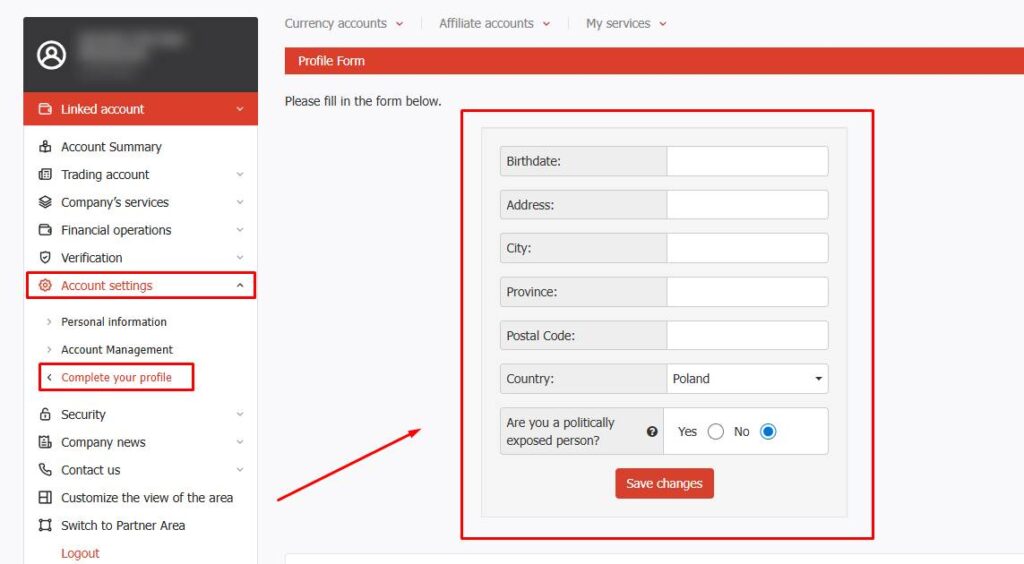
An important point with this option is that you must log in to your personal area and fill in all your personal data (as shown in the “Data Entry” tab).
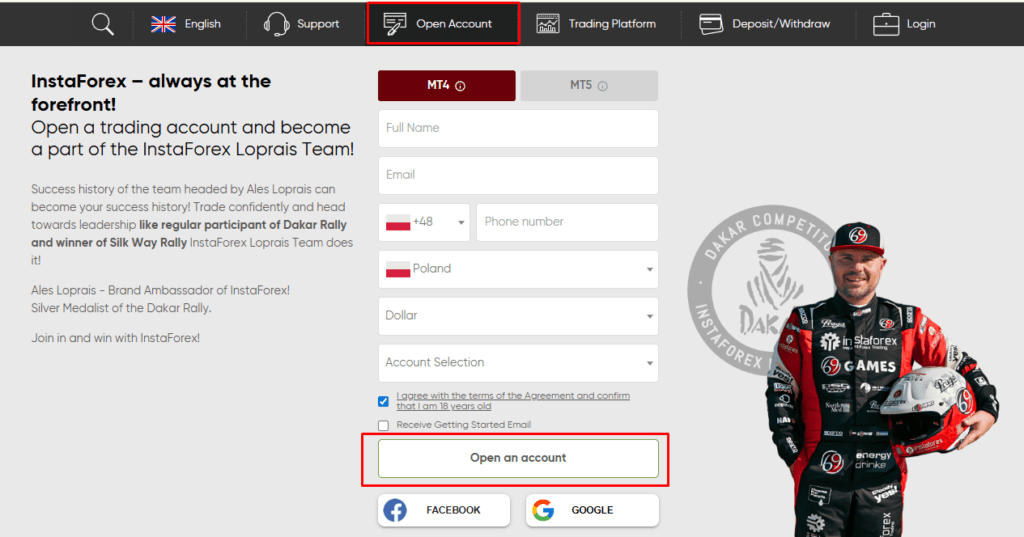
After you have opened an account via the quick registration form, you must log in to your client area, fill out the personal data form (exactly as it appears in the documents you will upload for verification), and click the “Save” button. Congratulations! You can now proceed to the verification of your trading account.
✅ Verification – upload your documents to confirm your identity.
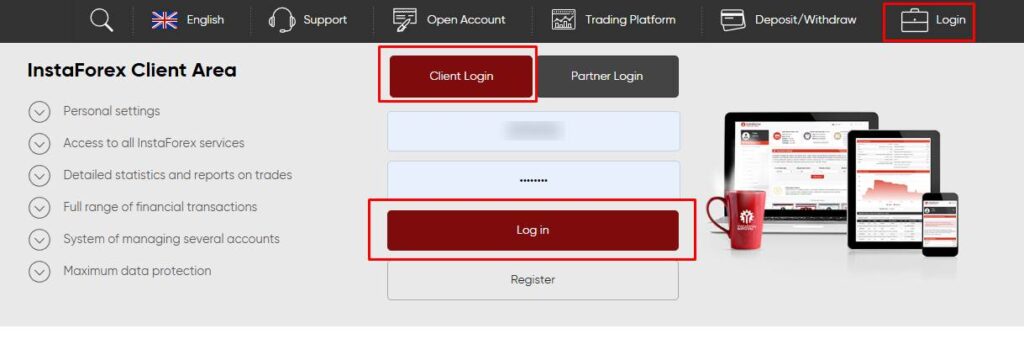
Congratulations, you have opened a trading account with InstaForex. To verify your trading account, log in to your client area (the login and password were sent to the email address you provided during account registration):
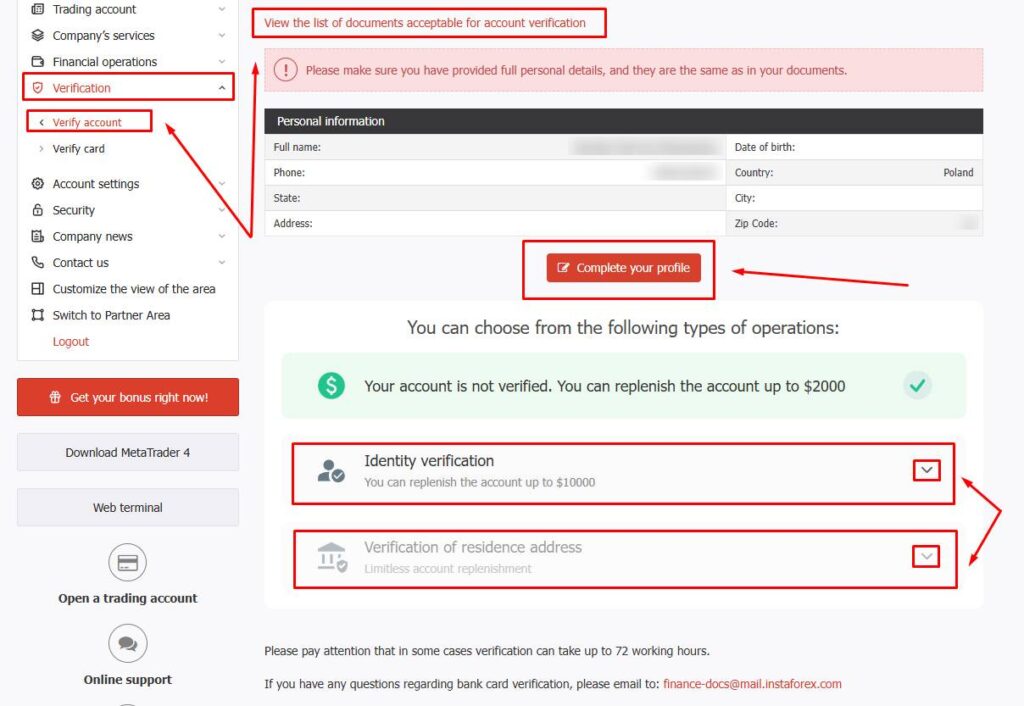
In your personal area, go to the Verification menu, then the Account Verification submenu, and upload documents for the 2 levels of verification (pay attention to the tips provided by the broker during the process). Also, review the list of documents accepted by the broker for verification in each specific country (as shown in the screenshot).
Once verification is successfully completed, you will receive a notification in your inbox. If any errors occur during the process, the company’s department will notify you via email and ask you to make the necessary corrections.
If you need help with the verification process, we are here to assist you — contact us:
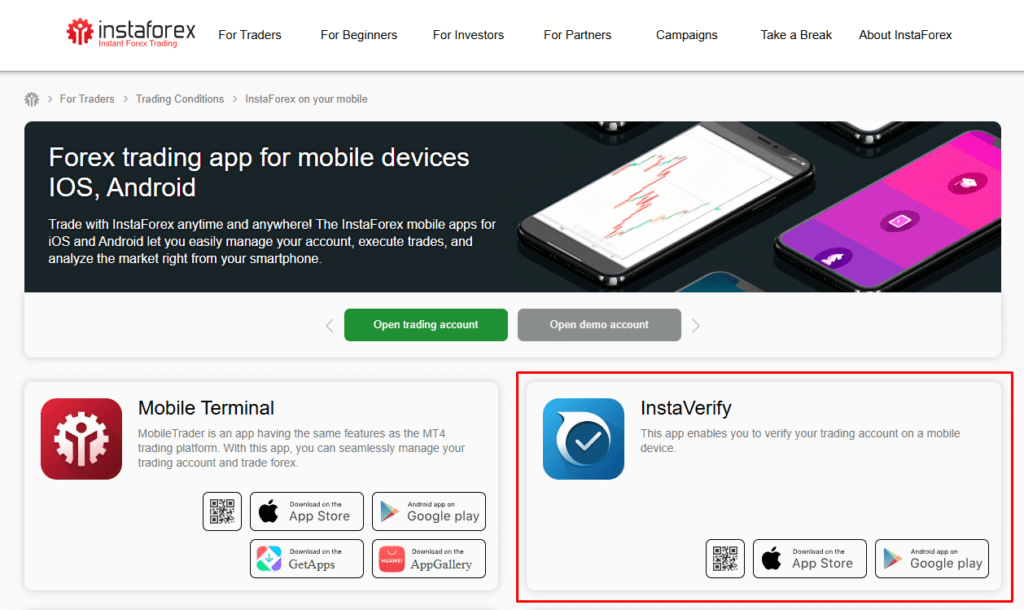
To verify your trading account using the InstaVerify mobile app, go to the download page on the broker’s website and click the download icon for your phone’s operating system (Android, iOS).
After downloading the app to your phone, log in (the login process is exactly the same as for the desktop client area, where the login is your account number and the password is your trader password (all details were sent to your email)).
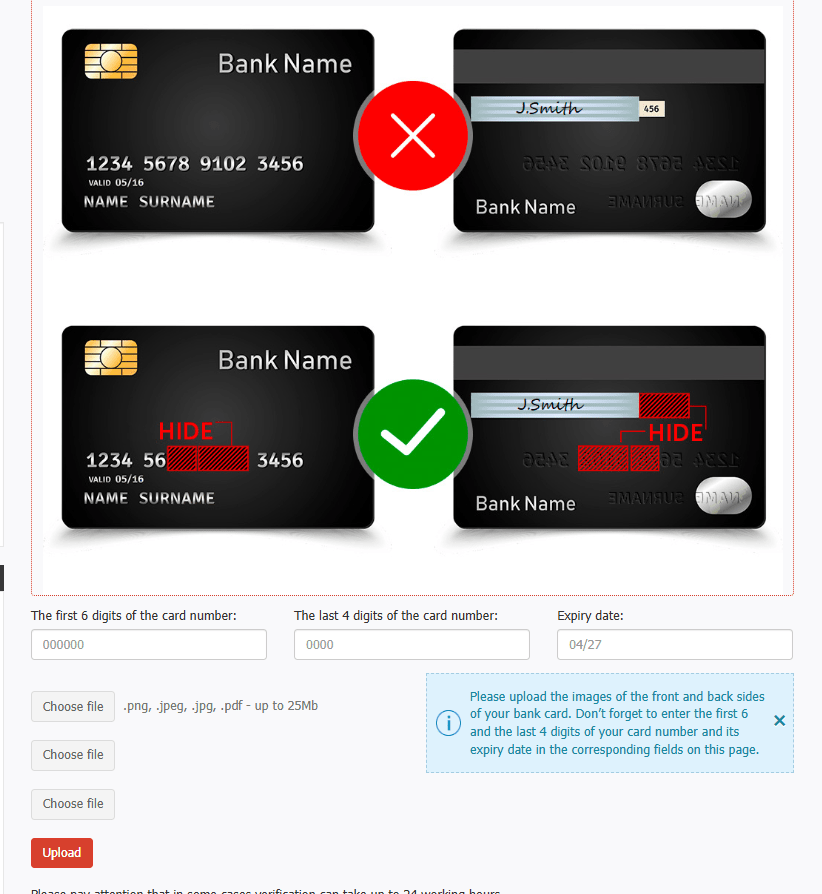
TO DEPOSIT FUNDS USING A BANK CARD, YOU MUST FIRST COMPLETE THE BANK CARD VERIFICATION PROCESS! Card verification is only available after completing 2 levels of account verification.
In your personal area, go to the Verification menu, then the Card Verification submenu (you can also complete card verification via the InstaVerify mobile app). On the card verification page, read the requirements that must be met before uploading a photo of your card (YOU MUST HIDE THE DATA AS SHOWN IN THE EXAMPLE BELOW).
If you need help with the verification of your bank card, we are here to assist you — contact us:
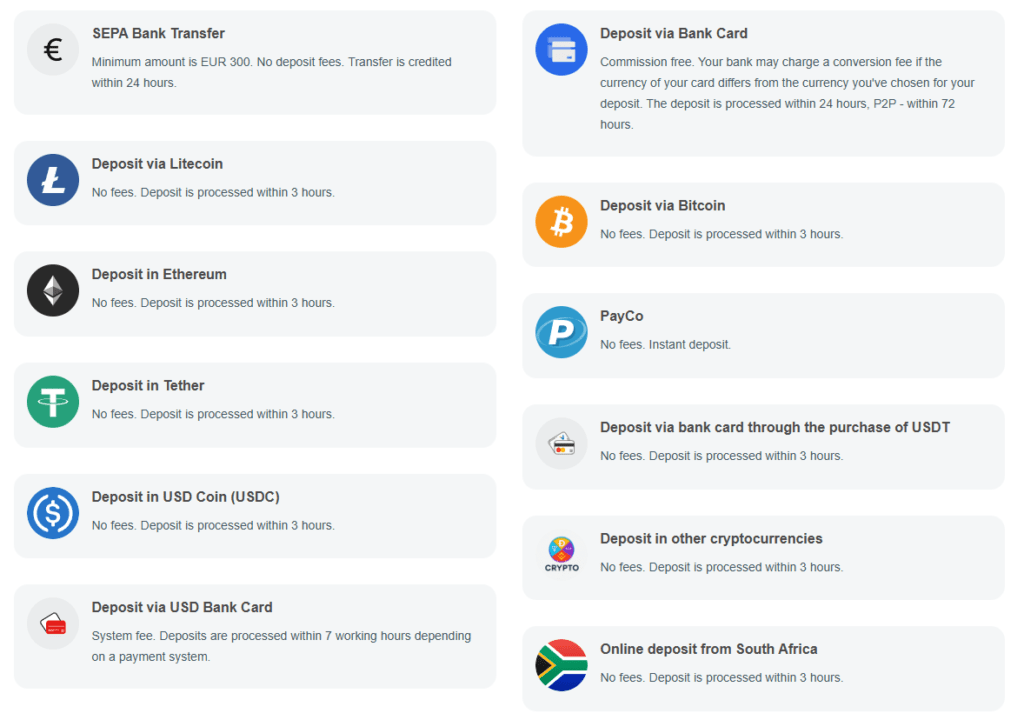
✅ Deposit – InstaForex offers convenient deposit methods: bank cards, e-wallets, and cryptocurrencies. Minimum deposit – from $1.
Congratulations, you have successfully verified your trading account. To deposit funds, log in to your personal area (the login and password were sent to the email address you provided when opening the account):
In your personal area, go to the Financial Operations menu and click the Deposit Funds button. The broker’s website will open a new page where you can choose a tool to deposit funds into your personal account. TO DEPOSIT FUNDS USING A BANK CARD, YOU MUST FIRST COMPLETE THE BANK CARD VERIFICATION PROCESS!
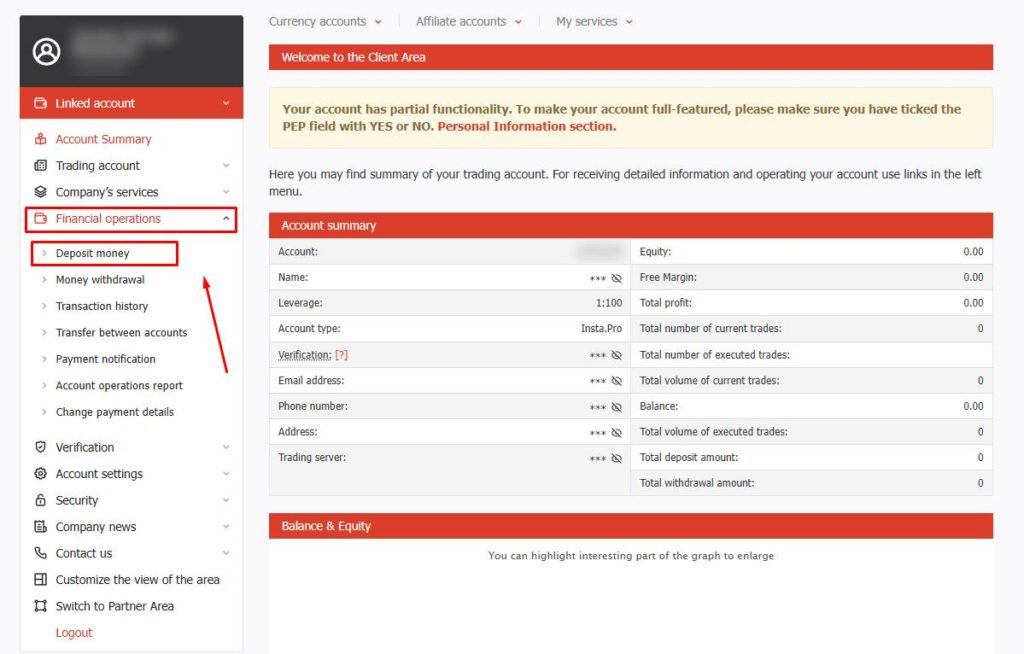
On this page, you can choose a convenient tool to deposit funds into your account. Once you have selected a tool, follow the website’s step-by-step prompts.
If you need help depositing funds, we are here to assist you — contact us:
Connecting your account to the ForexCopy system.
ForexCopy is an automated service by InstaForex that allows investors to copy the trades of experienced traders.
✅ How does the system work?
You register with the ForexCopy system, choose a trader from the rankings, and subscribe to their trading operations. All their trades are automatically duplicated on your account.
✅ Who can participate?
- Investors (copiers/followers) – choose traders and copy their trades.
- Traders – execute trades and receive a commission for successful copying.
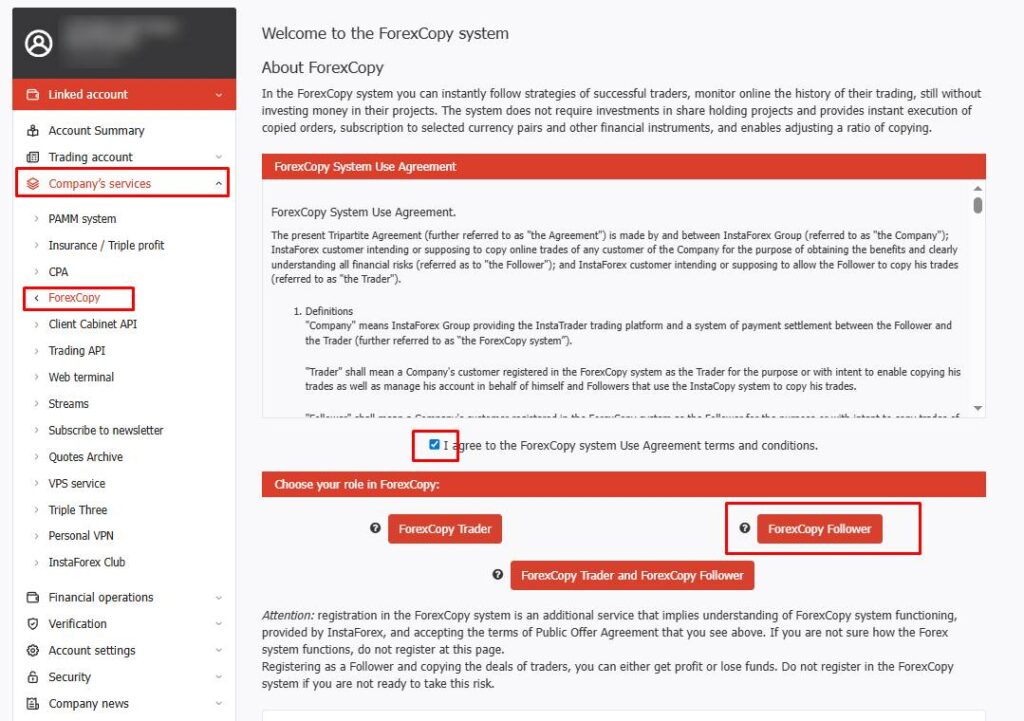
To start copying trades from experienced traders, you must register your account in the ForexCopy system. To do this, log in to your personal area, go to the Company Services menu, and select the ForexCopy submenu. Next, you need to agree to the ForexCopy Public Offer and click the ForexCopy Follower button. Congratulations, you have successfully registered your account.
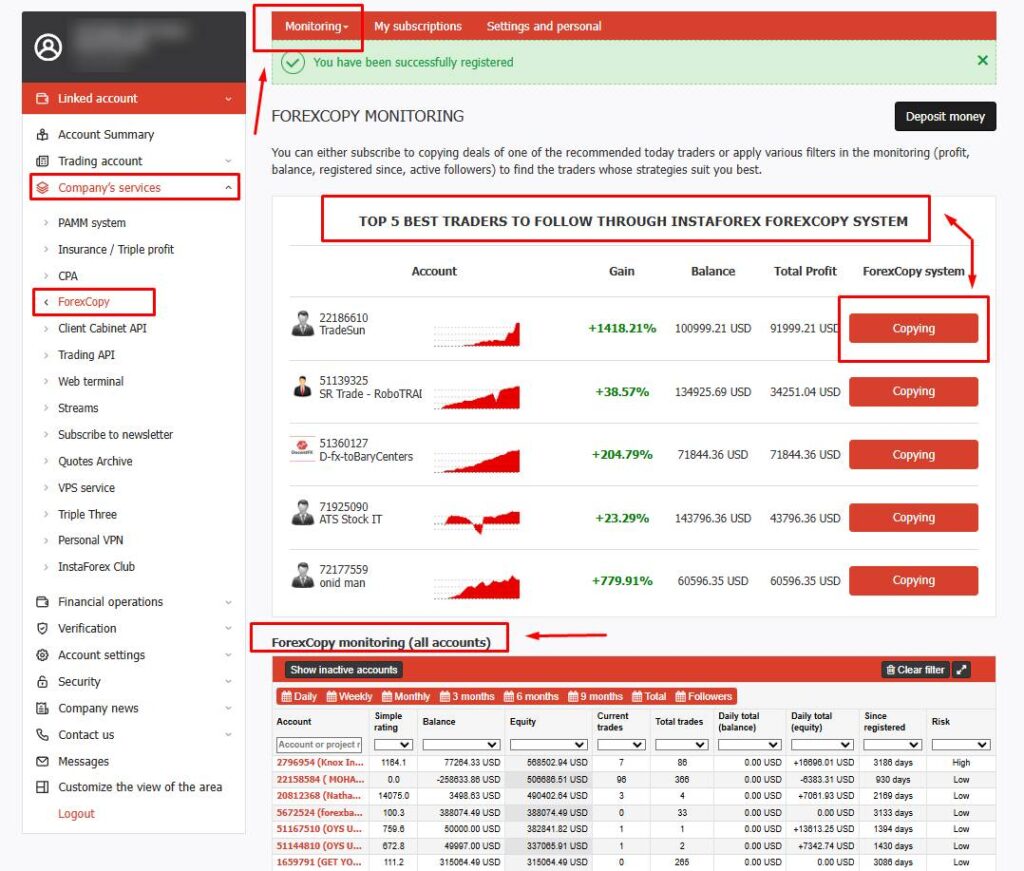
Stay in the ForexCopy menu under the Monitoring tab (as shown in the screenshot). This page displays all Forex copy trading projects available for copying trades. You can select a project from the “Top 5 Accounts for Copying” block or from the general “ForexCopy Monitoring (All Accounts)” list below. By filtering these projects (accounts), you can choose the most suitable trader to follow.
Here are the key points to consider when choosing a Forex copy trader:
- Trading History – check how long the trader’s project has been active.
- Project Rating – review the project’s rating on the InstaForex platform.
- Profitability – analyze the trader’s average monthly and annual profit.
- Equity – check the balance plus the current result of open positions.
- Risk Management – evaluate the drawdowns and the level of risk in their trading style.
- Number of Followers – a large number of followers can be a strong indicator of trust.
- Copying Commission – different traders may have different terms (fixed fee, percentage of profit, etc.).
These criteria will help you choose a reliable and profitable copy trader based on your…
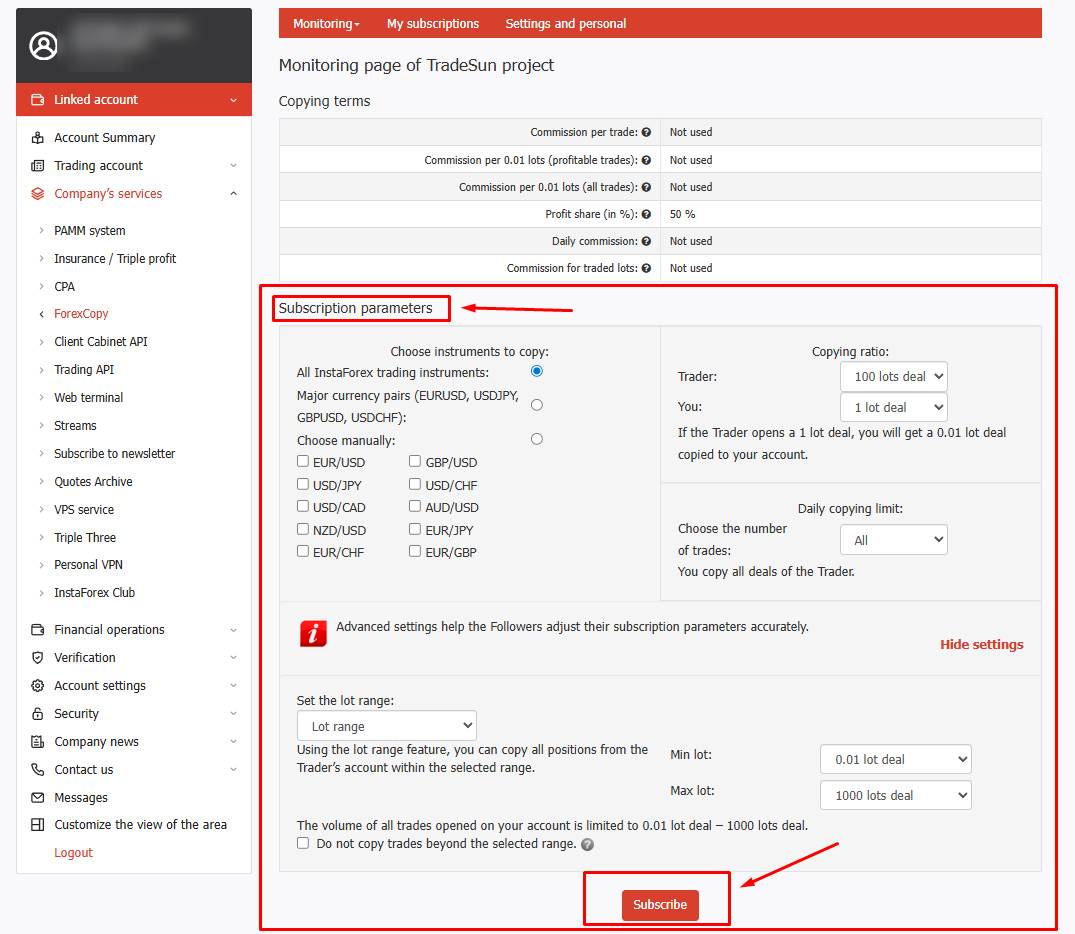
After you have chosen a project (account) for copying (or multiple accounts), you need to proceed to the copying settings. In the Subscription Terms section, you can select the Instruments for copying, set the Lot ratio, specify Daily copying limits, or set a Range of opened lots.
If you need help with the copying settings, we are here to assist you — contact us: